How to Give Feedback on Music: Timestamped, Specific, Actionable
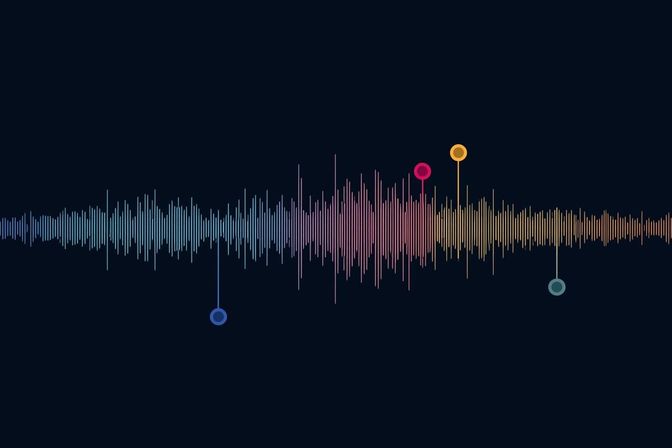
“Can you make it sound more… you know… punchy?”
“I don’t know, something feels off around the middle.”
“It needs more energy.”
If you’ve ever been on the receiving end of vague music feedback, you know the frustration. You’re left guessing what “punchy” means (more compression? louder kick? shorter reverb?), where “the middle” is (middle of the track? midrange frequencies?), and what “energy” translates to in actual production decisions.
Vague feedback wastes time. Worse, it leads to revisions that miss the mark, frustrated clients, and mixes that never quite land.
Good feedback tells you exactly what to fix, where it is, and what the problem sounds like. It turns revisions from a guessing game into actual progress.
Here’s how to do it.
Why Most Music Feedback Fails
Before we talk about good feedback, let’s diagnose why most feedback doesn’t work:
Problem 1: Too Vague
Vague feedback:
- “Make it sound better”
- “Something’s off”
- “I don’t like it”
- “Needs more punch”
Why it fails: The producer doesn’t know what to change. “Better” is subjective. “Something’s off” could be anything. “Punch” might mean compression, EQ, volume, or transient shaping.
Problem 2: No Specificity
Non-specific feedback:
- “The vocals are weird”
- “The drums are too loud”
- “I don’t like the bass”
Why it fails: “Weird” how? Too much reverb? Pitch issues? Timing? “Too loud” where—the whole track or a specific section? “I don’t like the bass” gives zero actionable direction.
Problem 3: No Reference Point
Unanchored feedback:
- “I want it to sound like that one song”
- “It should be warmer”
- “Make it radio-ready”
Why it fails: Without a reference track, “warmer” is meaningless. A hundred records sound “warm” in completely different ways. And “radio-ready” varies wildly by genre and format.
Problem 4: Telling the Producer How to Fix It
Prescriptive feedback (from non-engineers):
- “Add more compression”
- “Boost the highs”
- “Use a different reverb”
Why it fails (usually): Unless you’re an audio engineer yourself, telling a producer exactly what to do technically is like telling a surgeon which scalpel to use. Describe the problem (“the vocals feel squished and lifeless”), and let the producer choose the solution.
The 4 Rules of Useful Feedback
Good music feedback follows four principles:
Rule 1: Identify the Element
Don’t say “something’s off.” Say what element has the problem.
Bad: “The mix sounds weird.”
Good: “The snare drum sounds weird.”
Always name the specific element: lead vocal, kick drum, bass guitar, synth pad, hi-hats, background vocals, guitar solo, etc.
Rule 2: Describe the Problem
Once you’ve identified the element, describe what’s wrong with it.
Bad: “The snare drum sounds weird.”
Good: “The snare drum sounds thin—like it’s missing body.”
Use descriptive language: thin, boomy, harsh, muddy, buried, too bright, too dark, distorted, compressed, ringy, boxy, nasal, etc. Even if you’re not an engineer, these descriptions give the producer something to work with.
Rule 3: Point to the Location
Tell the producer where the issue happens. Timestamps are the gold standard.
Bad: “The bass is too loud.”
Good: “The bass is too loud from 1:15 to 2:00.”
Not every issue needs a timestamp (some are consistent throughout the track), but if the problem is localized, say where.
Rule 4: Suggest What You Want (Not How to Get It)
Describe what the end result should sound like, not the technical steps to get there.
Bad: “Add 3dB at 2kHz on the vocal.”
Good: “The vocal doesn’t cut through enough—can you make it more present without making it harsh?”
This gives the producer creative freedom to choose the right tool (EQ, compression, volume, arrangement changes) while clearly communicating what you want.
How to Structure Your Feedback Session
Before You Start
- Listen on multiple systems: Headphones, monitors, car, phone (at minimum 2 different systems)
- Compare to reference tracks: How does this mix compare to professional releases in the same genre?
- Note specific timestamps: Don’t just say “the vocals are too quiet”—specify where
- Understand the context: Is this a rough mix, pre-master, or final master? Adjust expectations accordingly.
- Check your playback environment: Quiet room, no distractions, proper monitoring
During Feedback
- Be specific: Identify the exact element (kick drum, lead vocal, synth pad, etc.)
- Provide timestamps: “At 1:32” or “In the second chorus”
- Be actionable: Say what you want changed, or describe the problem clearly
- Prioritize issues: Mark feedback as Critical, Important, or Nice-to-have
- Stay objective on technical issues: Clipping, distortion, timing, tuning = technical. Tone, vibe, energy = creative.
After Feedback
- Summarize main points: “To recap: louder vocals at 1:30, less reverb on snare, tighten low end”
- Set clear next steps: “Looking forward to version 2 with these changes addressed”
- Agree on revision timeline: “Can I get the next version by Friday?”
- Confirm understanding: Ask the producer to summarize back to ensure no miscommunication
Download the Feedback Checklist PDF → (Coming soon—optimized for printing or saving to your device)
How to Give Feedback on Different Elements
Let’s break down how to give specific feedback on common mix elements:
Vocals
Vague: “The vocals sound weird.”
Specific:
- “The lead vocal at 1:15 has too much reverb—it sounds distant. Can you reduce the reverb send by 20-30%?”
- “The vocal harmonies at 2:40 are panned too wide. Can you narrow them to 40% L/R instead of hard-panned?”
- “There’s a harsh sibilance on the ‘s’ sounds around 2:10. Can you add gentle de-essing?”
Drums
Vague: “The drums are too loud.”
Specific:
- “The kick drum is overpowering the bass guitar from 0:45-1:30. Can you reduce the kick by 1-2dB in that section?”
- “The snare feels thin at 3:00. Can you add a subtle boost around 200Hz for more body?”
- “The hi-hats at 1:15 are too bright and distracting. Can you roll off some highs above 10kHz?”
Bass
Vague: “I don’t like the bass.”
Specific:
- “The bass tone at 0:30 feels too boomy. Can you tighten the low end with a high-pass filter around 40Hz?”
- “The bass is getting lost in the mix during the chorus. Can you bring it up 1-2dB or add a subtle midrange boost around 800Hz?”
- “The bass at 2:10 has a note that’s clashing with the kick. Can you adjust the timing or EQ the kick to reduce the overlap?”
Mix Balance
Vague: “Something’s off.”
Specific:
- “At 1:45, the guitar solo is buried under the synth pad. Can you reduce the pad by 2dB or create space with EQ?”
- “The intro at 0:00 feels cluttered. Can you simplify the arrangement or reduce the reverb on the piano?”
- “During the bridge at 2:30, there’s too much low-end buildup. Can you high-pass the rhythm guitar and synth to clear space for the bass?”
Transitions and Arrangement
Vague: “The transition is weird.”
Specific:
- “The transition from verse to chorus at 0:55 feels abrupt. Can you add a fill or riser in the last two bars of the verse?”
- “The ending at 3:50 cuts off too suddenly. Can you add a fade-out or reverb tail?”
- “The breakdown at 2:00 loses energy. Can you keep the hi-hats going or add a subtle pad to maintain momentum?”
How to Give Timestamped Feedback on Audio
Timestamps turn feedback from a guessing game into a map. Without them, a producer spends ten minutes scrubbing through a four-minute track trying to find “that part in the chorus.” With them, they click, listen, and fix.
Why the Timestamp Changes Everything
Every round of “where did you mean?” adds a day to the revision cycle. Timestamps eliminate that round entirely. The producer hears the exact bar you’re referencing, sees your note next to it, and responds with a targeted fix instead of a best guess. Fewer revisions, faster turnaround, and a mix that lands closer to what you actually wanted.
The Standard Format
Good timestamped feedback follows a consistent structure: time + element + what’s happening.
Use this:
- “1:32 — the snare sounds thin through this whole section”
- “2:15 — lead vocal is sitting behind the guitars, hard to hear the melody”
- “0:48 — the reverb tail on the piano bleeds into the verse”
Not this:
- “Around the 1:30 mark, something sounds off”
- “Somewhere in the chorus the snare is weird”
- “The second half has issues”
Use the exact timestamp from the player, not an approximation. “Around 1:30” could mean anywhere in a ten-second window. “1:32” means 1:32.
The Three-Pass Workflow
Trying to catch everything in a single listen leads to scattered, incomplete notes. Use three passes instead.
Pass 1 — Full listen, no notes. Play the track start to finish without stopping. Don’t write anything down. Just absorb it. Notice your gut reactions: where you lean in, where your attention drifts, where something pulls you out of the track. This is your holistic read.
Pass 2 — Timestamp scratchpad. Listen again. This time, jot down timestamps as you go. Keep it rough — just the time and a word or two: “1:32 snare,” “2:15 vocal low,” “3:05 bass mud.” Don’t pause playback. The goal is a raw list of moments that need attention, captured in real time.
Pass 3 — Formal comments. Now go back through your scratchpad and write proper feedback at each timestamp. Add the element, describe the problem, and suggest a fix if you have one. This is what the producer sees.
The whole process takes about twelve minutes for a four-minute track. Three listens plus a few minutes to write up notes. Compare that to the hours of back-and-forth you save when the producer doesn’t have to ask what you meant.
How to Reference Time
Option 1: Exact timestamp “At 1:32, the vocal is too quiet.”
Option 2: Section name “In the second chorus, the guitar is too loud.”
Option 3: Both (best) “At 2:15 in the bridge, the snare is too bright.”
Tools for Timestamped Feedback
Not all tools handle timestamps the same way. Here’s how they stack up:
| Tool | How timestamps work | Tradeoff |
|---|---|---|
| Aliada | Click the waveform, comment pins to the exact second. Producer gets notified. Lossless playback means you hear the actual mix. | Best for professional feedback workflows |
| SoundCloud | Click the waveform, comment appears at that point. But SoundCloud compresses audio on upload, so what you hear may differ from the source file. | Fine for demos, not for mix feedback |
| Google Docs | List timestamps manually. Producer opens a separate player, scrubs to each time, matches your notes by hand. | Works in a pinch, adds friction |
| Email / Text | No timestamp context at all. Producer guesses what “the chorus” means. | Avoid for anything beyond a quick note |
Before and After
Here’s what timestamped feedback looks like in practice.
Before (vague):
“I don’t like the chorus. The vocals sound off and the drums are too much.”
The producer reads this and has questions. Which chorus — first or second? “Sound off” how? Too quiet, too bright, too much reverb? “Drums are too much” — the whole kit or one element?
After (timestamped):
“2:15 — vocals are sitting behind the snare, hard to make out the melody. Can you bring them up 2–3dB or duck the snare in this section?”
“2:30 — the crash cymbal hit is masking the vocal entry. Can you pull it back or shorten the decay?”
No follow-up questions. One revision instead of three.
For keeping those revisions organized once feedback starts flowing, see Audio File Version Control.
Technical vs. Creative Feedback
It’s important to distinguish between technical issues (objective) and creative preferences (subjective).
Technical Feedback (Objective Issues)
These are problems with the mix that most professionals would agree on:
- Clipping or distortion
- Phase issues
- Timing problems (off-beat notes)
- Tuning issues (out-of-tune vocals)
- Imbalance (one element drowning out another)
How to give it: “At 1:45, the vocal is clipping. Can you reduce the input gain or add a limiter?”
Creative Feedback (Subjective Preferences)
These are matters of taste and artistic direction:
- Genre choices (more or less reverb, brighter or warmer tone)
- Arrangement decisions (adding or removing elements)
- Energy and vibe (aggressive vs. chill)
How to give it: “I’m thinking the chorus could use more energy. What if we doubled the vocal or added a synth layer?”
Notice the difference:
- Technical feedback: “There’s a problem, fix it”
- Creative feedback: “I prefer this direction, what do you think?”
On creative decisions, the producer probably has reasons for their choices. It’s worth asking before demanding changes.
Common Feedback Mistakes to Avoid
Mistake 1: Feedback by Proxy
Bad: “My friend says the bass is too loud.”
Why it’s bad: Who’s your friend? Are they an audio professional? This adds unnecessary confusion.
Better: “I feel the bass is overpowering the vocals at 1:30. What do you think?”
Mistake 2: Telling Instead of Asking
Bad: “Change the snare sound. It’s wrong.”
Why it’s bad: Comes across as demanding, not collaborative.
Better: “The snare at 2:00 feels too thin for this genre. Could we try a fatter snare sample or layer it?”
Mistake 3: Too Many Changes at Once
Bad: Sending 50 notes in one email covering every tiny detail.
Why it’s bad: Overwhelming. The producer won’t know what to prioritize.
Better: Group feedback into critical, important, and nice-to-have:
- Critical: Issues that prevent the track from being releasable
- Important: Changes that would significantly improve the mix
- Nice-to-have: Minor tweaks that are low priority
Mistake 4: Contradictory Feedback
Bad: Email 1: “Make the vocals louder” Email 2 (next day): “Actually, the vocals are too loud now”
Why it’s bad: Wastes time and confuses the producer.
Better: Listen to the revision carefully before sending new feedback. If you change your mind, explain why: “I know I asked for louder vocals, but hearing it in context, I think we went too far. Can we split the difference?”
Mistake 5: Ignoring Context
Bad: Listening on laptop speakers and demanding changes based on that.
Why it’s bad: Mixes are designed for quality playback systems. Laptop speakers are not representative.
Better: Listen on proper monitors, headphones, or at minimum, decent earbuds. Mention your playback system if there’s an issue: “On my studio monitors, the low end feels too heavy at 2:00. Does it sound the same on your system?”
How to Receive Feedback (For Producers)
If you’re on the other side—receiving feedback—here’s how to handle it professionally:
1. Clarify Vague Feedback
If feedback is unclear, ask follow-up questions:
- Client: “Make it punchier”
- You: “Do you mean more compression on the drums, or louder overall?”
2. Acknowledge All Feedback
Even if you disagree, acknowledge that you heard them: “Got it—you’d like the bass louder at 1:30. Let me try that and see how it affects the balance.”
3. Push Back Respectfully When Needed
If a request would harm the mix, explain why: “I can increase the vocal, but we’re already close to clipping. I’d suggest we reduce the instrumental instead to create space. Would that work?”
4. Summarize and Confirm
After receiving multiple notes, summarize back: “To confirm: louder vocals at 1:30, less reverb on the snare, and tighten the low end. Anything else?”
This prevents miscommunication.
Tools That Make Feedback Easier
The right tools streamline the feedback process:
Email / Text (Basic)
Pros: Simple, universal
Cons: No visual reference, easy to lose track of notes
Google Docs (Better)
Pros: Organized, timestamped notes in one place
Cons: Still requires producer to manually find each timestamp
Audio Collaboration Platforms (Best)
Aliada, SoundCloud, BoomBox:
Pros:
- Click on the waveform to leave timestamped comments
- Producer sees notes pinned to exact moments
- Reduces back-and-forth (“where did you mean?”)
- Version control keeps feedback organized by revision
Cons:
- Requires account (though Aliada allows guest comments without accounts)
Video Calls (For Complex Feedback)
Sometimes real-time conversation is best:
- Screen-share the DAW and walk through changes together
- Faster for complex revisions
- Builds rapport
How Aliada Improves the Feedback Process
Giving feedback over email or text is clunky. You type timestamps, hope the producer finds the right moment, and wait for the next revision.
Aliada streamlines this:
- Click on the waveform to leave timestamped comments
- Comments stay pinned to the exact moment (no confusion)
- Version control keeps feedback organized by revision (you can see what notes were addressed in v2, v3, etc.)
- Lossless playback means clients hear the mix exactly as you intended
- Guest access lets clients comment without creating accounts
Instead of:
“At 2:15 the vocal is too quiet, also at 3:30 the snare is too bright, and at 1:45 the bass is too loud…”
You click the waveform at each moment and leave a note. The producer sees them all, addresses them, and uploads a new version. You can compare versions side-by-side to confirm changes.
Related Guides
Improve your collaboration workflow with these guides:
- Smarter Audio Sharing — Why MP3 texts and Dropbox links fail, and what to use instead when you need feedback from anyone — including people who won’t troubleshoot a file format
- Audio File Version Control — Track revisions automatically and never lose a great take
- How to Send Large Audio Files — Professional solutions for sharing audio with clients
- Best Audio File Sharing Platforms 2026 — Compare the best platforms for professional audio collaboration
- How to Organize Audio Files — Folder structures and naming conventions that actually work
What good feedback gets you
Vague feedback wastes days on revisions that miss the mark. Specific feedback gets you to the final mix faster.
The difference is simple: tell the producer what element, where it is, and what’s wrong with it. They’ll know what to fix instead of guessing.
Try Aliada free for 14 days—leave timestamped comments directly on the waveform and keep all revisions organized with automatic version control.